The 4To1 Method™
Four layers from vision to execution. Every task connects up. Nothing floats.
Where am I going?
Quarterly Gantt Log
1 Day in a Week
What am I doing NOW?
🚫 Not-To-Do Projects
Projects and commitments you're explicitly saying NO to. Success is what you don't do.
⏰ Time Wasters
Daily habits stealing your time. Track them, eliminate them, reclaim your focus.
Why AI-Native?
Templates are dead. Planning should be a conversation.
❌ Old Way
Fill it out once. Forget about it.
Spend hours setting up Notion databases.
Nobody reminds you. Plans collect dust.
✅ 4To1 AI Coach
AI asks the right questions, writes it all down.
Notion databases, Todoist projects — created instantly.
Weekly reviews, stall alerts, Not-To-Do enforcement.
What You Can Say
"Set up my planning system"
Guided onboarding: connect tools, define your 4-year vision, set quarterly milestones, plan this week.
"Do my weekly review"
5-minute coached sprint review. Check progress, plan next week, update projects. No forms — just conversation.
"What should I focus on today?"
Daily priorities based on your 2-week sprint. Plus stall alerts and Not-To-Do reminders.
"How am I doing?"
Progress snapshot across all 4 layers. Vision alignment, milestone tracking, sprint completion rate.
"Quarterly review"
Deep retrospective: what worked, what to cut, next quarter's milestones. AI generates the report.
"Add [task] to my plan"
Quick-add with auto layer linking. AI asks which project it serves if unclear.
Connect Your Tools
Use whatever you already have. 4To1 adapts to you.
Notion
Rich databases, Gantt views, visual dashboards
Todoist
Task-focused, great mobile app, quick capture
Google Calendar
Time-block planning, event-based tracking
Local Markdown
No account needed, works offline, full privacy
Start Planning with Purpose
Your AI planning coach is one message away. Free on Telegram — no signup, no credit card.
Just open the chat and say "Hi" — your coach takes it from there.
Also available as an OpenClaw Skill for developers
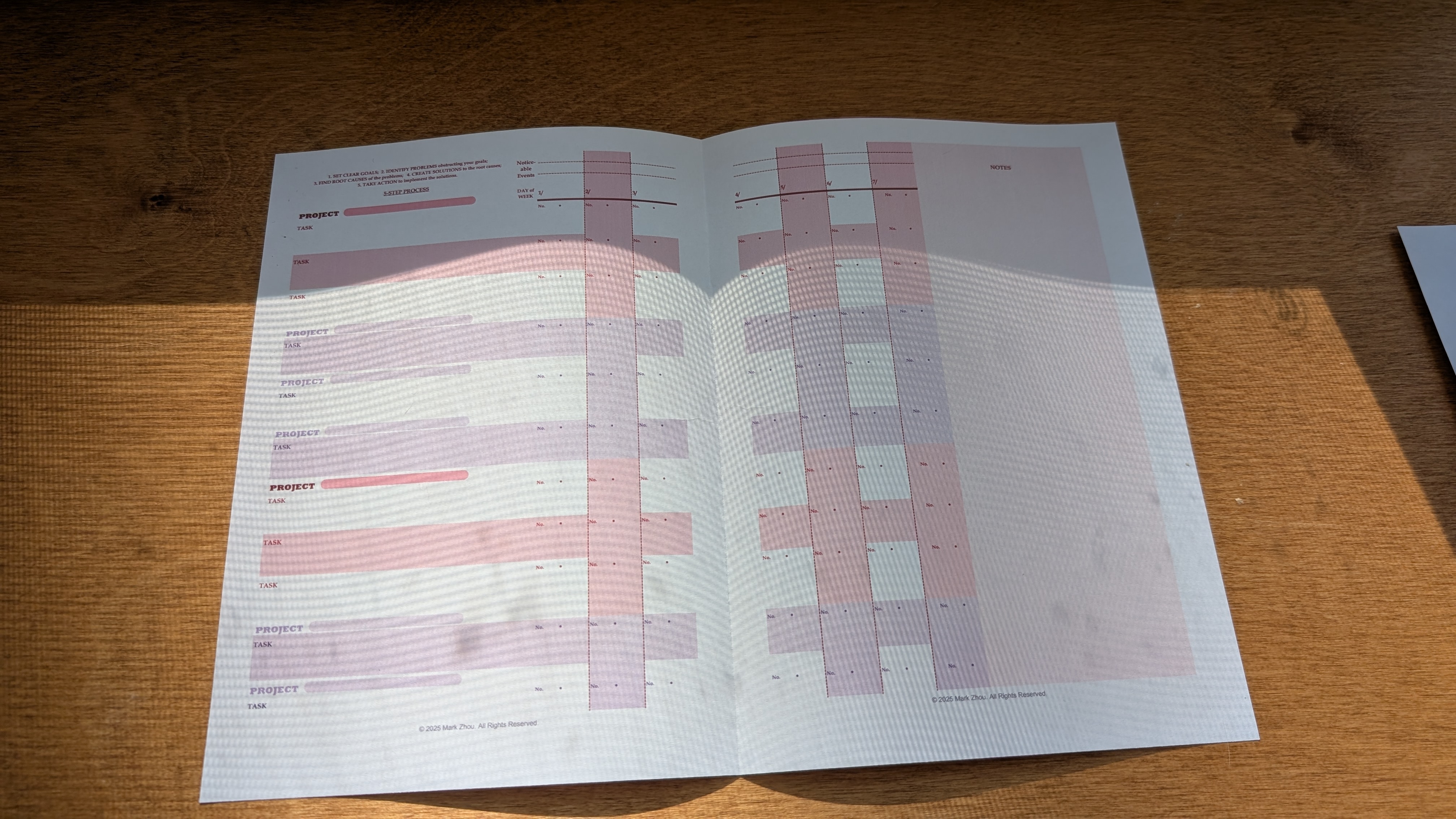
Prefer Paper? Start Here.
Get the 1 Day in a Week printable tracking sheet — the analog companion to the AI coach.
- ✓ A4 Landscape, print-ready PDF (300 DPI)
- ✓ 2 Primary + 5 Secondary Projects layout
- ✓ 7-day grid with task tracking
- ✓ Weekly reflection notes section
📬 Join the community — weekly planning tips + exclusive templates.
What Planners Are Saying
"I've tried Notion, Todoist, bullet journals — nothing stuck until I started thinking in 4-year cycles. The Not-To-Do list alone saved me from three bad commitments this quarter."
— r/productivity user
"The Gantt view changed everything. I could finally see that my three 'priority' projects were all competing for the same two weeks. Rescheduled one, finished two."
— Notion template user
"Weekly planning went from an hour of guilt to 10 minutes of clarity. Every task now connects to something real. That's the difference."
— 1 Day in a Week user
Want Traditional Templates?
We also offer Notion templates and printable PDFs for those who prefer hands-on planning.
Try AI Coach Free →